Reading from Remote Filesystems
Functions like dcmread from pydicom and highdicom.imread(),
highdicom.seg.segread(), highdicom.sr.srread(), and
highdicom.ann.annread() from highdicom can read from any object that
exposes a “file-like” interface. Many alternative and remote filesystems have
Python clients that expose such an interface, and therefore can be read from
directly.
Coupling this with the “lazy” frame retrieval option is especially powerful, allowing frames to be retrieved from the remote filesystem only as and when they are needed. This is particularly useful for large multiframe files such as those found in slide microscopy or multi-segment binary or fractional segmentations. However, the presence of offset tables in the files is important for this to be effective (see explanation in Lazy Frame Retrieval).
Here we give some simple examples of how to do this using two popular cloud storage providers: Google Cloud Storage (GCS) and Amazon Web Services (AWS) S3 storage. These are the two storage mechanisms underlying the Imaging Data Commons (IDC), a large repository of public DICOM images. It should be possible to achieve the same effect with other filesystems, as long as there is a Python client library that exposes a “file-like” interface.
Google Cloud Storage (GCS)
Blobs within Google Cloud Storage buckets can be accessed through a “file-like”
interface using the official Python SDK (installed through the
google-cloud-storage PyPI package).
In this first example, we use lazy frame retrieval to load only a specific spatial patch from a large whole slide image from the IDC.
import numpy as np
import highdicom as hd

# Additional libraries (install these separately)
import matplotlib.pyplot as plt
from google.cloud import storage


# Create a storage client and use it to access the IDC's public data package
client = storage.Client.create_anonymous_client()
bucket = client.bucket("idc-open-data")

# This is the path (within the above bucket) to a whole slide image from the
# IDC collection called "CCDI MCI"
blob = bucket.blob(
    "763fe058-7d25-4ba7-9b29-fd3d6c41dc4b/210f0529-c767-4795-9acf-bad2f4877427.dcm"
)

# Read directly from the blob object using lazy frame retrieval
with blob.open(mode="rb", chunk_size=500_000) as reader:
    im = hd.imread(reader, lazy_frame_retrieval=True)

    # Grab an arbitrary region of tile full pixel matrix
    region = im.get_total_pixel_matrix(
        row_start=15000,
        row_end=15512,
        column_start=17000,
        column_end=17512,
        dtype=np.uint8
    )

# Show the region
plt.imshow(region)
plt.show()
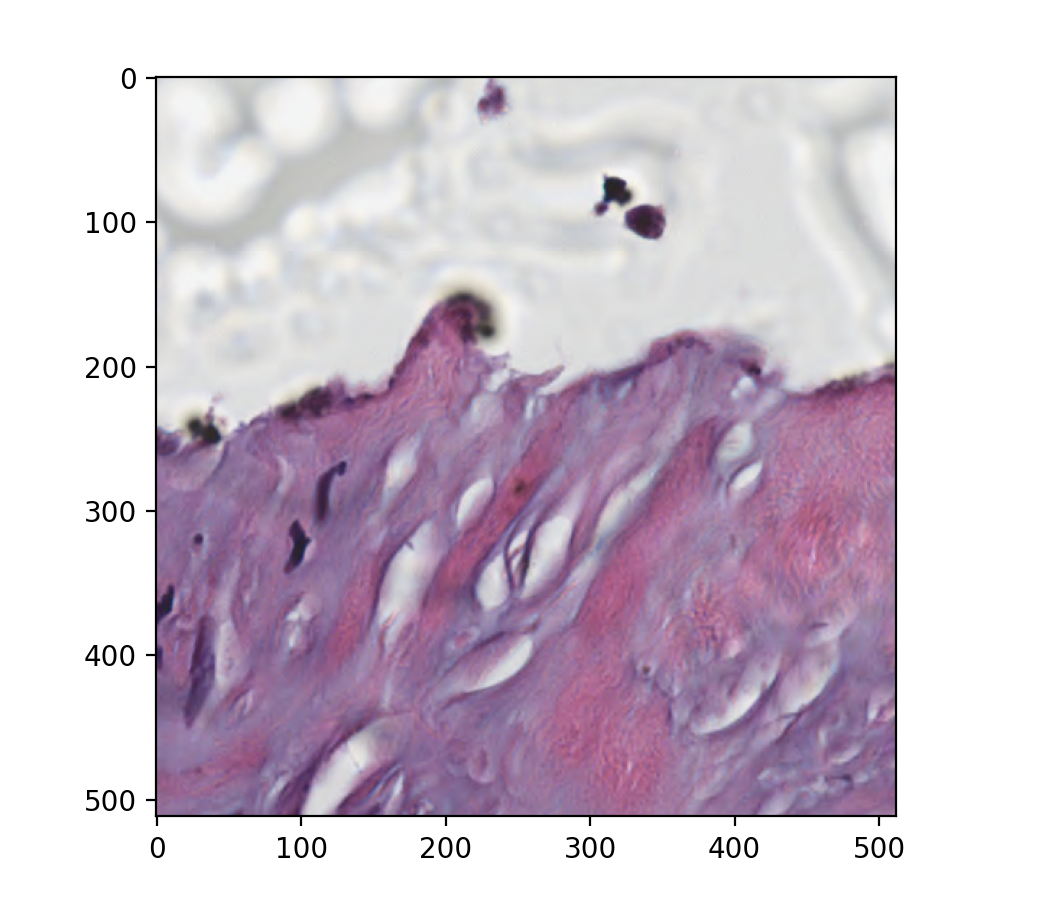
Figure produced by the above code snippet showing an arbitrary spatial region of a slide loaded directly from a Google Cloud bucket
It is important to set the chunk_size parameter carefully. This value is the number of bytes that are retrieved in a single request (set to around 500kB in the above example). Ideally this should be just large enough to retrieve a single frame of the image in one request, but any larger leads to unnecessary data being retrieved. The default value is 40MiB, which is orders of magnitude larger than the size of most image frames and therefore will be very inefficient.
As a further example, we use lazy frame retrieval to load only a specific set of segments from a large multi-organ segmentation of a CT image in the IDC stored in binary format (meaning each segment is stored using a separate set of frames). See Segmentation (SEG) Images for more information on working with DICOM segmentations.
import highdicom as hd

# Additional libraries (install these separately)
from google.cloud import storage


# Create a storage client and use it to access the IDC's public data package
client = storage.Client.create_anonymous_client()
bucket = client.bucket("idc-open-data")

# This is the path (within the above bucket) to a segmentation of a CT series
# containing a large number of different organs
blob = bucket.blob(
    "3f38511f-fd09-4e2f-89ba-bc0845fe0005/c8ea3be0-15d7-4a04-842d-00b183f53b56.dcm"
)

# Open the blob with "segread" using the "lazy frame retrieval" option
with blob.open(mode="rb") as reader:
    seg = hd.seg.segread(reader, lazy_frame_retrieval=True)

    # Find the segment number corresponding to the liver segment
    selected_segment_numbers = seg.get_segment_numbers(segment_label="Liver")

    # Read in the selected segments lazily
    volume = seg.get_volume(
        segment_numbers=selected_segment_numbers,
        combine_segments=True,
    )
This works because running the .open("rb") method on a Blob object returns
a BlobReader object, which has a “file-like” interface
(specifically the seek, read, and tell methods). If you can provide
examples for reading from storage provided by other cloud providers, please
consider contributing them to this documentation.
Amazon Web Services S3
The s3fs package wraps an S3 client to expose a “file-like”
interface for accessing blobs. It can be installed with pip install
s3fs.
In order to be able to access open IDC data without providing AWS credentials,
it is necessary to configure your own client object such that it does not
require signing. This is demonstrated in the following example, which repeats
the GCS from above using the counterpart of the same blob on AWS S3 (each DICOM
file in the IDC is stored in two places, one on GSC and the other on S3). If
you are accessing private files on S3, these steps will be different (consult
the s3fs documentation for details).
import numpy as np
import highdicom as hd
import matplotlib.pyplot as plt
import s3fs


# Configure a client to avoid the need for AWS credentials
s3_client = s3fs.S3FileSystem(
    anon=True,  # no credentials needed to access public data
    default_block_size=500_000,  # see note below
    use_ssl=False  # disable encryption for a further speed boost
)

# URL to a whole slide image from the IDC "CCDS MCI" collection on AWS S3
url = 's3://idc-open-data/763fe058-7d25-4ba7-9b29-fd3d6c41dc4b/210f0529-c767-4795-9acf-bad2f4877427.dcm'

# Read the imge directly from the blob
with s3_client.open(url, mode="rb") as reader:
    im = hd.imread(reader, lazy_frame_retrieval=True)

    # Grab an arbitrary region of tile full pixel matrix
    region = im.get_total_pixel_matrix(
        row_start=15000,
        row_end=15512,
        column_start=17000,
        column_end=17512,
        dtype=np.uint8
    )

# Show the region
plt.imshow(region)
plt.show()
It is important to tune the default_block_size parameter to optimize performance. Ideally this value (in bytes) should be large enough to match the size of the raw (probably compressed) data for individual frames of the images, ensuring that each can be retrieved in a single request. However, any larger and unnecessary data will be retrieved, reducing efficiency. The default block size is around 50MB, which is orders of magnitude too large for most images. Above we set it to approximately 500kB, which is probably a reasonable choice for many types of DICOM image.
The s3fs package is based on fsspec, which provides abstractions over
various file systems. There are a large number of other filesystems covered by
either the built-in or third-party implementations (such as Azure,
Hadoop, SFTP, HTTP, etc). The smart_open package also provides many similar
wrappers for various filesystems, but is generally optimized for streaming use
cases, not random-access use cases needed for this application.
In all cases, be aware that the mechanics of the underlying retrieval, as well as configuration such as buffering and chunk size, can have a significant impact on the performance of lazy frame retrieval.